10 Surprising Lessons from Using a Raspberry Pi as My Daily Desktop for 3 Years
When I told friends I was ditching my traditional PC for a Raspberry Pi 4 and later a Pi 5, they thought I was crazy. But after three years of using these tiny single-board computers for light gaming, coding, and even AI experiments, I discovered a machine that defies expectations. It cost roughly the same as a stack of good books, yet handled everyday tasks with surprising grace. Here are the ten most eye-opening lessons from my journey.
1. Performance That Punches Above Its Weight
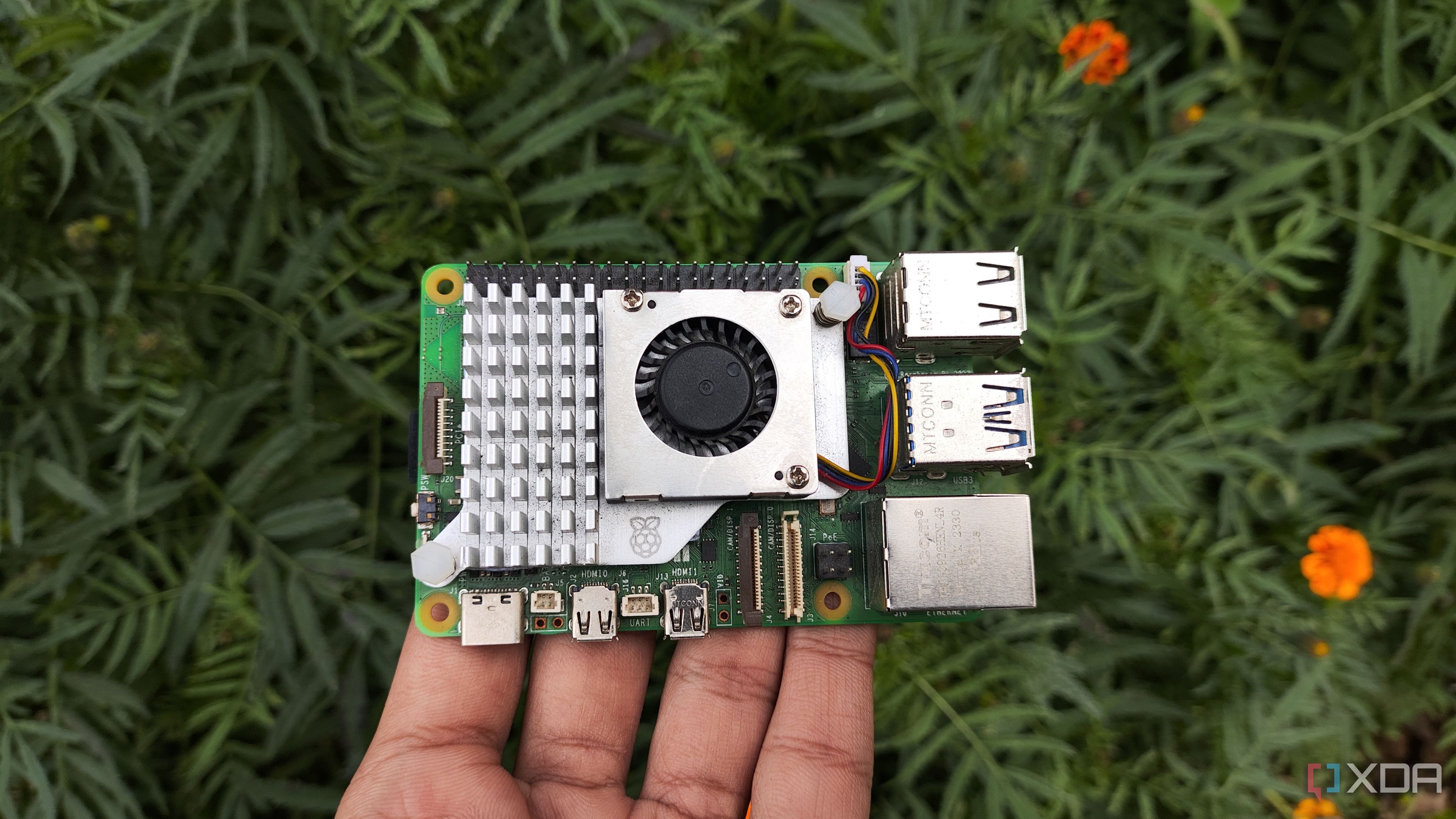
The Raspberry Pi 4 and 5 are not speed demons, but they handle light gaming, web browsing, and coding quite well. I played classic titles like DOOM and Minecraft, and even compiled small programs without major lag. The Pi 5’s Cortex-A76 cores made a noticeable difference for multitasking. With a decent microSD or NVMe drive, boot times are manageable. You won’t edit 4K video, but for everyday tasks, it’s surprisingly capable.
2. Gaming on a Budget Is Totally Possible
I tested a range of games — from retro emulators to indie Steam titles via Box86. The Pi 4 handled 720p/30fps on many older games, while the Pi 5 pushed some titles to 1080p/60fps with tweaks. Vulkan support improved performance. Battery-free controllers and USB gamepads worked plug-and-play. Library size is limited but growing, and the experience is perfect for casual gamers who don’t need ray tracing.
3. Coding on the Pi Feels Surprisingly Productive
I wrote Python, JavaScript, and even some C++ using Visual Studio Code and terminal-based editors. The Pi compiled code reasonably fast for small to medium projects. Native packages like Node.js, Git, and Docker all ran smoothly. The GPIO headers also let me build hardware projects without extra hardware. For learning or prototyping, it’s a fantastic, distraction-free environment.
4. AI on a $80 Board? Yes, It’s Real
With TensorFlow Lite and ONNX runtime, I ran object detection models like MobileNet and YOLOv3-Tiny on the Pi 5. The dual 4K display output allowed me to monitor inference in real time. For lightweight applications — like smart cameras or simple classification — the Cortex-A76 and NPU (in Pi 5) delivered workable performance. It won’t train GPTs, but it can run pre-trained models at a few frames per second.
5. The Price-to-Value Ratio Is Unbeatable
The Pi 5 (8GB model) costs around $80 — less than a AAA game. Factor in a power supply, case, and storage, and you’re still under $150. Over three years, I saved hundreds on electricity and avoided expensive upgrades. For students, makers, or anyone on a tight budget, this tiny board delivers a full desktop experience at a fraction of the cost.
6. Power Consumption Shocks Even Skeptics
Idle power draw of the Pi 5 is about 3 watts, rising to 15W under load. Compare that to a typical desktop (60–200W). Over three years, my electricity bills for computing dropped by roughly 90%. Silent operation, no fan noise (unless you add one), and low heat made it easy to leave on 24/7 for a home server or media center.

7. Portability That Redefines “Desktop”
The Pi fits in a pocket. I carried it between home, office, and coffee shops, plugging into different monitors via HDMI. Small enough to slip into a laptop bag, but powerful enough for daily work. Combined with a Bluetooth keyboard and mouse, it’s a truly mobile desktop without the bulk of a laptop.
8. The Community Ecosystem Is a Superpower
From forums like the Raspberry Pi subreddit to official documentation, the community support is phenomenal. I found solutions for obscure software compatibility, overclocking guides, and even custom OS builds. Thousands of project tutorials exist for free. This rapidly turned problems into learning opportunities and kept my Pi running smoothly.
9. Limitations That Actually Matter
Let’s be honest: web browsing can feel sluggish with heavy sites, 4K video playback stutters sometimes, and you can’t run Windows software natively. Memory (up to 8GB) limits professional multitasking. Graphics-intensive apps like Photoshop alternatives struggle. For anyone needing serious processing power, a traditional PC is still better. The Pi excels at lightweight tasks, not demanding workloads.
10. It’s More Than Just a Computer — It’s a Mindset
Living with a Pi teaches you to adapt and optimize. You learn to choose lighter software, embrace open-source tools, and appreciate resource efficiency. Three years later, I value performance differently — raw speed matters less than reliable functionality. For anyone curious about alternative computing, this journey is eye-opening and rewarding.
Conclusion: Using a Raspberry Pi as a daily driver for three years was an experiment I’d recommend to any tech enthusiast. It proved that a $80 board can handle light gaming, coding, and even AI, while saving power and money. Yes, you’ll encounter limitations, but the trade-offs are manageable for many users. If you’re willing to adapt, the Pi might just surprise you — just as it surprised me.