How to Master Game Discovery on GeForce NOW with Xbox Game Pass and Ubisoft+ Labels
Introduction
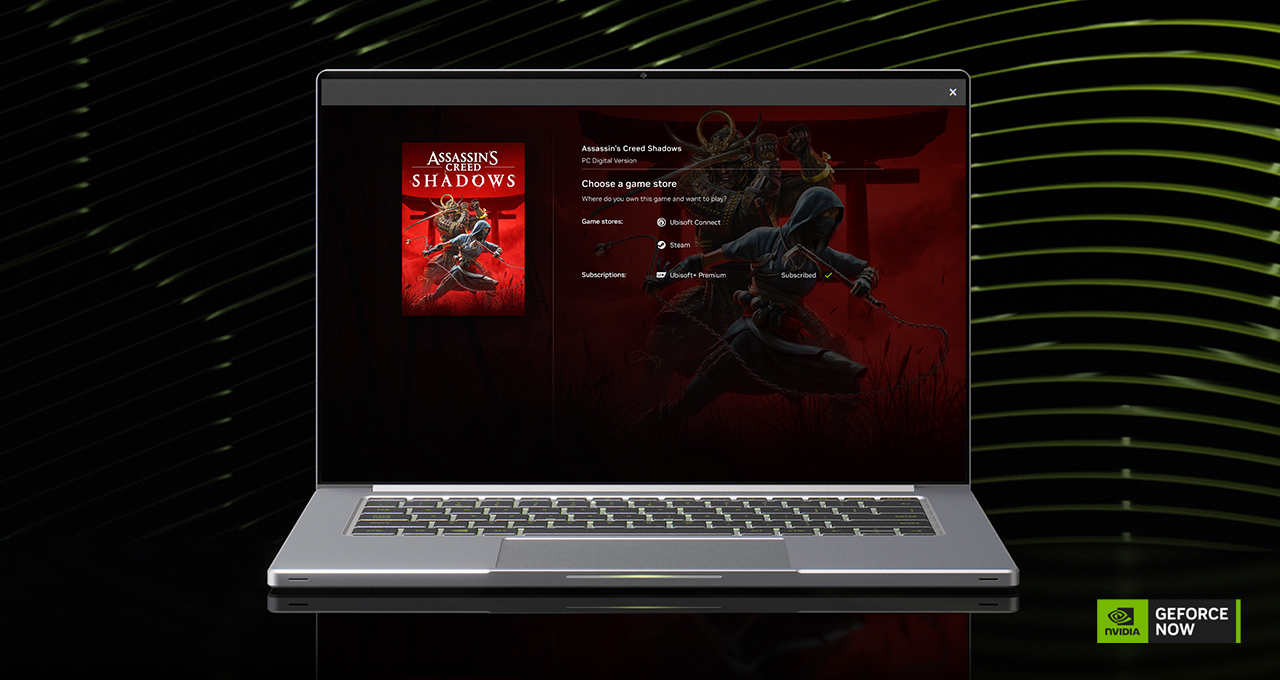
GeForce NOW just made it easier than ever to find and play your favorite games from connected subscriptions. With new in-app labels for Xbox Game Pass and Ubisoft+, you can instantly see which titles are streamable from your existing libraries—no more guesswork. This guide walks you through setting up, exploring, and playing with these upgrades, plus how to grab the latest freebies like the Thor Midgard Umber Skin in Marvel Rivals. Whether you're a cloud gaming veteran or new to the service, these steps turn your PC collection into a portable powerhouse.
What You Need
- A GeForce NOW membership (Free, Priority, or Ultimate)
- An active Xbox Game Pass (Core or Ultimate) or Ubisoft+ subscription
- The GeForce NOW app installed on your Windows PC, macOS, Android, iOS (via Safari), or supported TV/monitor
- A stable internet connection (minimum 15 Mbps for 720p, 25+ Mbps for better quality)
- Your game accounts (e.g., Steam, Epic Games, Ubisoft Connect) linked to your GeForce NOW profile
Step-by-Step Guide
- Connect your subscription accounts to GeForce NOW
Open the GeForce NOW app and go to Settings > Account > Connected Accounts. Click Connect next to Xbox Game Pass or Ubisoft+. Sign in with your credentials and authorize the link. Once connected, GeForce NOW will automatically sync the eligible games from those libraries. - Spot the new labels in your game library
After connecting, browse the GeForce NOW game catalog. You’ll notice clear labels directly on each game’s tile or details page—such as “Xbox Game Pass” or “Ubisoft+”. These tags are live now (first announced at GDC) and eliminate the need to dig through menus. They help you instantly pick a game you already have access to. - Search and filter by subscription
Use the search bar or filter options to narrow down only the games available via your connected subscriptions. For example, select “Xbox Game Pass” under the Subscription filter. The list updates in real time, showing hundreds of RTX-powered titles ready to stream with a single click. - Play any labeled game with one click
Tap or click on a game that has a subscription label. On the game details page, you’ll see a prominent Play button. If the game is part of your connected library, you can launch it immediately—even if you don’t own it separately. This works across devices: start on your PC, continue on your phone. - Discover new releases like Vampire Crawlers: The Turbo Wildcard
Keep an eye on the New Releases section. This week’s highlight is Vampire Crawlers: The Turbo Wildcard, a chaotic roguelite horde escape game. It stacks absurd power-ups, weapons, and perks that create wild synergies—turning every run into a highlight reel. On GeForce NOW, the intense action stays smooth even with screen-filling enemy waves. Just find it in the library (it may have a subscription label if included in your plan) and start streaming. - Claim exclusive rewards for Premium members
If you’re a GeForce NOW Priority or Ultimate member, you get early access to special in-game items. This week, you can unlock the Thor Midgard Umber Skin for Marvel Rivals—a battle-ready look replacing the classic red cape. Navigate to the Rewards tab in the app, look for the skin offer, and follow the instructions to redeem it. The skin will be tied to your linked Marvel Rivals account.
Tips
- Optimize your connection: For the best experience with fast-paced games like Vampire Crawlers, use a wired Ethernet connection or strong 5GHz Wi-Fi. If you’re on mobile, try the streaming quality preset in the app settings.
- Use the “Play on All Devices” feature: Thanks to the new labels, you can pick up a game on your living room TV (via NVIDIA SHIELD) exactly where you left off on your laptop—no re-downloads needed.
- Re-check your connected accounts occasionally: If a new Ubisoft+ or Game Pass title launches, it may not appear immediately. Refresh your library by disconnecting and reconnecting the account, or simply restart the app.
- Take advantage of free trials: If you don’t already have an Xbox Game Pass or Ubisoft+ subscription, GeForce NOW often surfaces trial offers. Check the app’s Offers section before committing.
- Bookmark the Games page: The labels are updated in real time. Save the step for spotting labels to quickly revisit how to find tagged titles.
- Try cross‑save with Vampire Crawlers: Since it’s a roguelite, progress carries over. Start a run on your lunch break via phone, then finish on PC.
- Premium members: Don’t forget to claim the Thor skin before the offer ends. It’s only available during this promotion, and the claiming step shows exactly where to look.
Tags: